

ENSv2 Quickstart
What is ENSv2?
Section titled “What is ENSv2?”ENSv2 is the next generation of the Ethereum Name Service — a protocol upgrade that fundamentally changes how the ENS protocol works.
What is the ENS Omnigraph?
Section titled “What is the ENS Omnigraph?”ENSNode fully supports ENSv2 via the ENS Omnigraph API, the world’s first and only unified API over the full state of both ENSv1 and ENSv2. When ENSv2 launches in Summer 2026, ENSv1 continues to exist, and apps must be updated to use the new protocol version. ENSNode takes the guesswork out of building on ENS, whether you need to resolve up-to-date records, search all Domains, or see which Domains a user owns (and much, much more).
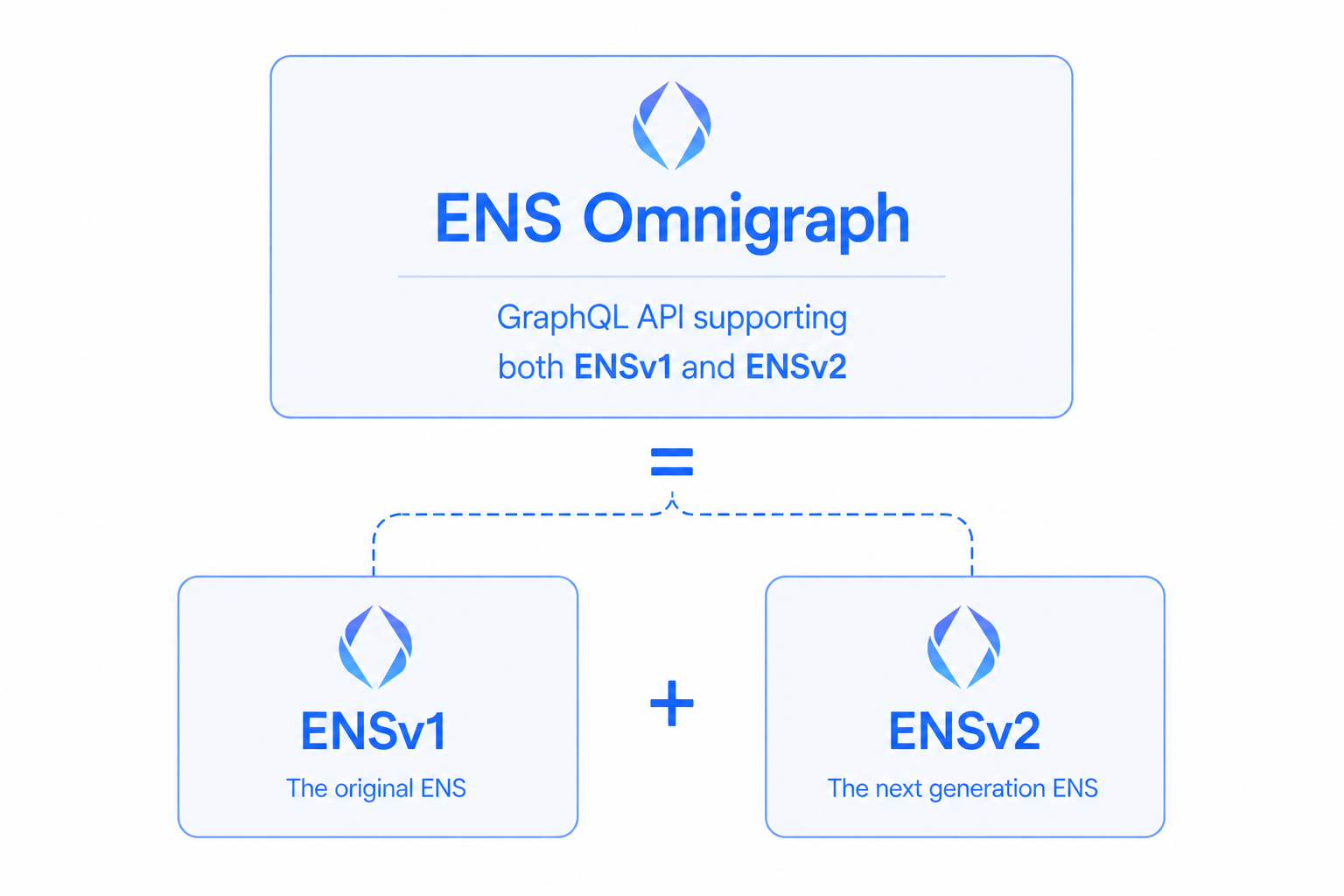
ENS Omnigraph supports both ENSv1 and ENSv2 concurrently within the same unified data model. This means you can integrate today (before ENSv2 launches) and continue with full ENSv2 support when it goes live, with zero downtime!
ENSNode’s Integration Options
Section titled “ENSNode’s Integration Options”ENSNode supports a full range of different integration options across the stack, whether you’re using React, any JavaScript runtime, raw GraphQL, or looking to go deep and build a fully custom service using indexed ENS data.
Here’s a summary of some popular integration strategies:
1. enssdk + Omnigraph
Section titled “1. enssdk + Omnigraph”With enssdk, leverage ENSNode and the Omnigraph from any JavaScript runtime to power your frontend or backend apps. enssdk comes with built-in type-safety and editor autocomplete for Omnigraph queries.
Start from a wallet address, reverse-resolve its Ethereum primary name, then forward-resolve the profile on that name:
import { createEnsNodeClient } from "enssdk/core";import { graphql, omnigraph } from "enssdk/omnigraph";
// create and extend an EnsNodeClient with Omnigraph API supportconst client = createEnsNodeClient({        url: process.env.ENSNODE_URL!    })    .extend(omnigraph);
// this is fully typechecked and supports editor autocomplete!const HelloWorldQuery = graphql(`  query HelloWorld($address: Address!) {    account(by: { address: $address }) {      address      resolve {        primaryName(by: { chainName: ETHEREUM }) {          name { beautified }          resolve {            profile {              description              addresses { ethereum bitcoin }            }          }        }      }    }  }`);
// `result` is fully typed!const result = await client.omnigraph.query({ query: HelloWorldQuery, variables: { address: "0xd8dA6BF26964aF9D7eEd9e03E53415D37aA96045", },});2. enskit + Omnigraph
Section titled “2. enskit + Omnigraph”With enskit, leverage ENSNode and the Omnigraph to power your React components using useOmnigraphQuery. enskit comes with built-in type-safety, Omnigraph-specific cache directives, easy infinite pagination, and much much more.
The same address -> primary name -> forward profile pattern in a React component:
import { graphql, useOmnigraphQuery } from "enskit/react/omnigraph";import type { Address } from "enssdk";
// this query is fully typechecked and supports editor autocomplete!const AccountPrimaryProfileQuery = graphql(`  query AccountPrimaryProfile($address: Address!) {    account(by: { address: $address }) {      address      resolve {        primaryName(by: { chainName: ETHEREUM }) {          name { beautified }          resolve {            profile {              description              addresses { ethereum bitcoin }            }          }        }      }    }  }`);
export function AccountProfileCard({ address }: { address: Address }) {  // `result` is fully typed!  const [result] = useOmnigraphQuery({    query: AccountPrimaryProfileQuery,    variables: { address },  });  const { data, fetching, error } = result;
  if (fetching) return <p>Loading...</p>;  if (error) return <p>Error: {error.message}</p>;  if (!data?.account) return <p>No account found for '{address}'.</p>;
  const { account } = data;  const primaryName = account.resolve?.primaryName;  const addresses = primaryName?.resolve?.profile?.addresses;
return ( <div> <p>Address: {account.address}</p> <p>Primary name: {primaryName?.name?.beautified ?? "None set"}</p> <p>Bitcoin address: {addresses?.bitcoin ?? "Not set"}</p> <p>Description: {primaryName?.resolve?.profile?.description}</p> </div> );}3. ENS Omnigraph GraphQL API
Section titled “3. ENS Omnigraph GraphQL API”The ENS Omnigraph API is a GraphQL API following the Relay specification, so you get built-in support for efficient infinite pagination and idiomatic access to all of the ENS protocol within a unified ENSv1 + ENSv2 datamodel.
Same query: address -> primary name -> forward profile — via raw GraphQL with example response below:
query HelloWorld($address: Address!) {  # Lookup an Account by address.  account(by: { address: $address }) {    resolve {      # Reverse resolve the ENS primary name of the account      # using a convenient ETHEREUM alias for mainnet.      primaryName(by: { chainName: ETHEREUM }) {        # Get the regular interpreted variant of the primary name        # and also the special beautified variant that optimizes names        # containing special characters such as emojis for proper display in interfaces.        name { interpreted beautified }        resolve {          # If the account has a primary name on Ethereum (mainnet),          # forward resolve the interpreted ENS profile of that name in the same query!.          profile {            description            avatar { httpUrl }            addresses { ethereum bitcoin }            socials {              twitter { handle httpUrl }              github { handle httpUrl }            }          }        }      }    }
# Also load the count of ENSv1 and ENSv2 domains owned by the account # to see if they have domains they should upgrade to ENSv2 v1DomainsCount: domains(where: { version: ENSv1 }) { totalCount } v2DomainsCount: domains(where: { version: ENSv2 }) { totalCount } }}{ "address": "0xd8da6bf26964af9d7eed9e03e53415d37aa96045"}{ "data": { "account": { "v2DomainsCount": { "totalCount": 0 }, "v1DomainsCount": { "totalCount": 514 }, "resolve": { "primaryName": { "name": { "interpreted": "vitalik.eth", "beautified": "vitalik.eth" }, "resolve": { "profile": { "description": "mi pinxe lo crino tcati", "avatar": { "httpUrl": "https://euc.li/vitalik.eth" }, "addresses": { "ethereum": "0xd8da6bf26964af9d7eed9e03e53415d37aa96045", "bitcoin": null }, "socials": { "twitter": { "handle": "VitalikButerin", "httpUrl": "https://x.com/VitalikButerin" }, "github": { "handle": "vbuterin", "httpUrl": "https://github.com/vbuterin" } } } } } } } }}Output matches a point in time snapshot GraphQL response from our alpha ENSNode instance. Live output depends on the configuration of your ENSNode instance and ENS state updates.
# POST JSON to your ENSNode Omnigraph endpoint (same path enssdk uses).curl -sS -X POST "https://api.alpha.ensnode.io/api/omnigraph" \ -H "Content-Type: application/json" \ -d '{ "query": "query HelloWorld($address: Address!) { # Lookup an Account by address. account(by: { address: $address }) { resolve { # Reverse resolve the ENS primary name of the account # using a convenient ETHEREUM alias for mainnet. primaryName(by: { chainName: ETHEREUM }) { # Get the regular interpreted variant of the primary name # and also the special beautified variant that optimizes names # containing special characters such as emojis for proper display in interfaces. name { interpreted beautified } resolve { # If the account has a primary name on Ethereum (mainnet), # forward resolve the interpreted ENS profile of that name in the same query!. profile { description avatar { httpUrl } addresses { ethereum bitcoin } socials { twitter { handle httpUrl } github { handle httpUrl } } } } } } # Also load the count of ENSv1 and ENSv2 domains owned by the account # to see if they have domains they should upgrade to ENSv2 v1DomainsCount: domains(where: { version: ENSv1 }) { totalCount } v2DomainsCount: domains(where: { version: ENSv2 }) { totalCount } } }", "variables": {"address":"0xd8da6bf26964af9d7eed9e03e53415d37aa96045"}}'{ "data": { "account": { "v2DomainsCount": { "totalCount": 0 }, "v1DomainsCount": { "totalCount": 514 }, "resolve": { "primaryName": { "name": { "interpreted": "vitalik.eth", "beautified": "vitalik.eth" }, "resolve": { "profile": { "description": "mi pinxe lo crino tcati", "avatar": { "httpUrl": "https://euc.li/vitalik.eth" }, "addresses": { "ethereum": "0xd8da6bf26964af9d7eed9e03e53415d37aa96045", "bitcoin": null }, "socials": { "twitter": { "handle": "VitalikButerin", "httpUrl": "https://x.com/VitalikButerin" }, "github": { "handle": "vbuterin", "httpUrl": "https://github.com/vbuterin" } } } } } } } }}Output matches a point in time snapshot GraphQL response from our alpha ENSNode instance. Live output depends on the configuration of your ENSNode instance and ENS state updates.
4. Further Integration Options
Section titled “4. Further Integration Options”Beyond enssdk, enskit, and the Omnigraph GraphQL API, ENSNode exposes a deeper set of integration surfaces for advanced use cases:
- ENSDb (SQL) — query the indexed ENSv1 and ENSv2 datasets directly via SQL for custom analytics or your own service layer, from any language with a Postgres driver.
- ENSDb Writers (Indexers) — build your own ENSDb Writer to index ENS data into your own ENSDb instance.
- ENSDb Readers — build your own ENSDb Reader to query your own ENSDb instance through any interface of your choice.
- ENSNode Plugins — define how onchain data should be indexed into ENSDb.
- enscli (CLI) — resolve names, look up records, and run ad-hoc Omnigraph queries from the terminal — built for humans and AI agents alike.
- ensskills (AI agents) — a curated set of skills that gives AI coding agents a well-defined contract for working with ENS.
- ensdb-cli (ENSDb Snapshots) — bootstrap a fresh ENSDb in minutes from portable, versioned snapshots instead of waiting days on a full historical backfill.
- ENSEngine (Webhooks) — subscribe to ENS-aware webhooks driven by changes in ENSDb, so your apps can stop polling and start reacting.