

ENS Omnigraph API
The ENS Omnigraph API is the world’s first and only API providing unified access to the full state of ENSv1 and ENSv2. It’s a single, polymorphic GraphQL API over both ENSv1 and ENSv2 — write your query once and get correct, typed results regardless of which protocol version a given Domain lives in.
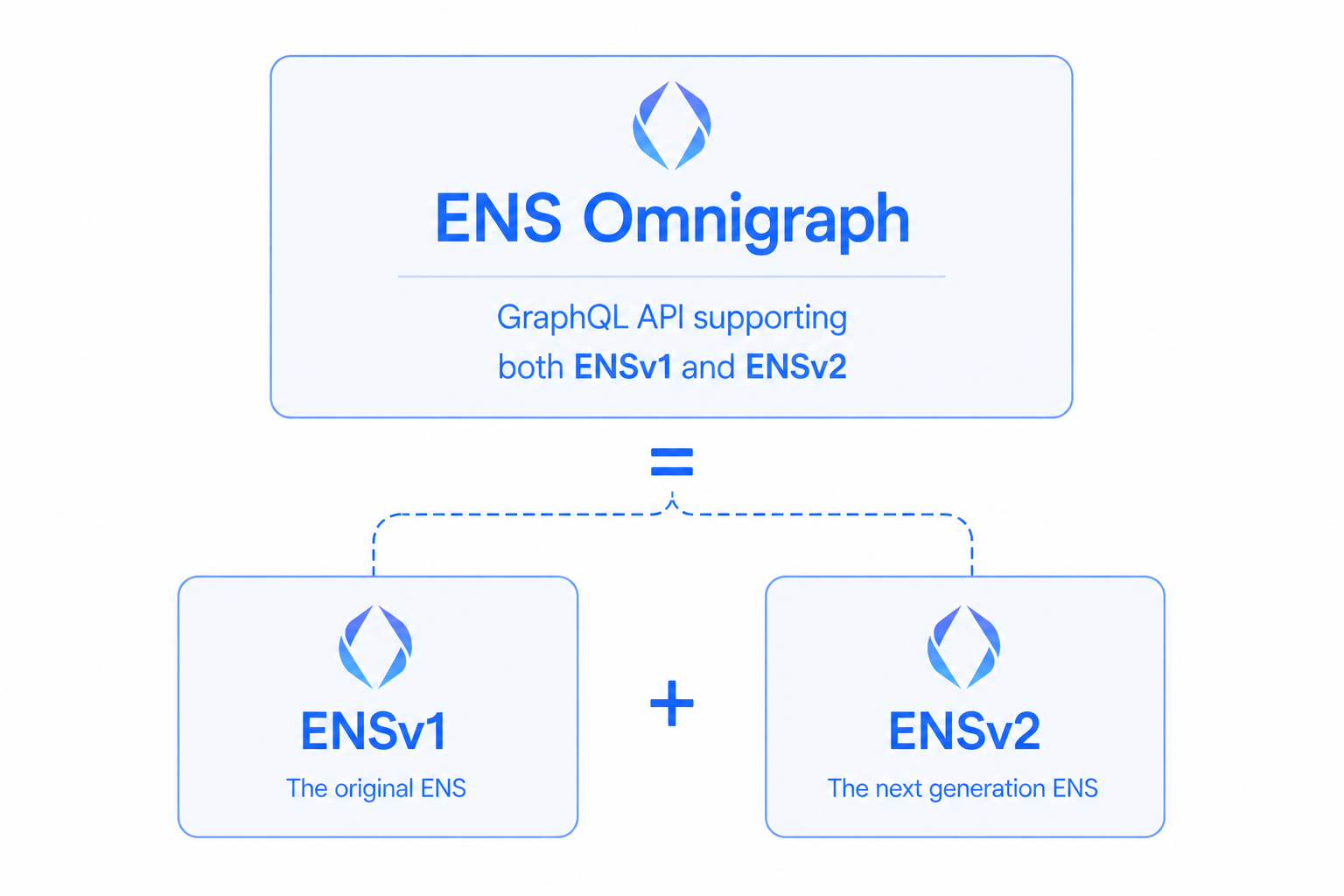
The Omnigraph is delivered by ENSApi on top of the indexed data in ENSDb. It follows the Relay specification, abstracts away the most common ENS-protocol footguns, and exposes enough of the underlying protocol for builders who need to go deep.
One unified API over ENSv1 + ENSv2
Section titled “One unified API over ENSv1 + ENSv2”When ENSv2 launches in Summer 2026, the two protocol versions coexist — and the Omnigraph keeps your app working against both, at the same time, with no code changes. Both ENSv1 and ENSv2 Domains are indexed concurrently and exposed through a unified schema.
Ask for a Domain by name (domain(by: { name: "vitalik.eth" })) and you get a typed result whether that name lives in ENSv1 or ENSv2 — your code doesn’t have to know which at query time.
What you get
Section titled “What you get”- Multichain in one query — mainnet
.eth, Basenames (.base.eth), Lineanames (.linea.eth), and 3DNS names (.box) all in a single unified schema. - Typed, no footguns — names and labels are normalized for you, so rendering them in a UI is trivial.
- The full ENS picture — resolve records, search Domains, list what an address owns, read a complete history of onchain Events, inspect Permissions, and more.
- Built-in pagination — Relay-spec connections mean infinite scroll and stable pagination work out of the box.
Your first query
Section titled “Your first query”From a wallet address: Ethereum primary name and interpreted profile, plus ENSv1 and ENSv2 ownership counts.
query HelloWorld($address: Address!) {  # Lookup an Account by address.  account(by: { address: $address }) {    resolve {      # Reverse resolve the ENS primary name of the account      # using a convenient ETHEREUM alias for mainnet.      primaryName(by: { chainName: ETHEREUM }) {        # Get the regular interpreted variant of the primary name        # and also the special beautified variant that optimizes names        # containing special characters such as emojis for proper display in interfaces.        name { interpreted beautified }        resolve {          # If the account has a primary name on Ethereum (mainnet),          # forward resolve the interpreted ENS profile of that name in the same query!.          profile {            description            avatar { httpUrl }            addresses { ethereum bitcoin }            socials {              twitter { handle httpUrl }              github { handle httpUrl }            }          }        }      }    }
# Also load the count of ENSv1 and ENSv2 domains owned by the account # to see if they have domains they should upgrade to ENSv2 v1DomainsCount: domains(where: { version: ENSv1 }) { totalCount } v2DomainsCount: domains(where: { version: ENSv2 }) { totalCount } }}{ "address": "0xd8da6bf26964af9d7eed9e03e53415d37aa96045"}{ "data": { "account": { "v2DomainsCount": { "totalCount": 0 }, "v1DomainsCount": { "totalCount": 514 }, "resolve": { "primaryName": { "name": { "interpreted": "vitalik.eth", "beautified": "vitalik.eth" }, "resolve": { "profile": { "description": "mi pinxe lo crino tcati", "avatar": { "httpUrl": "https://euc.li/vitalik.eth" }, "addresses": { "ethereum": "0xd8da6bf26964af9d7eed9e03e53415d37aa96045", "bitcoin": null }, "socials": { "twitter": { "handle": "VitalikButerin", "httpUrl": "https://x.com/VitalikButerin" }, "github": { "handle": "vbuterin", "httpUrl": "https://github.com/vbuterin" } } } } } } } }}Output matches a point in time snapshot GraphQL response from our alpha ENSNode instance. Live output depends on the configuration of your ENSNode instance and ENS state updates.
import { createEnsNodeClient } from "enssdk/core";import { graphql, omnigraph } from "enssdk/omnigraph";
const client = createEnsNodeClient({  url: process.env.ENSNODE_URL || "https://api.alpha.ensnode.io"}).extend(omnigraph);
const HelloWorldQuery = graphql(`  query HelloWorld($address: Address!) {    # Lookup an Account by address.    account(by: { address: $address }) {      resolve {        # Reverse resolve the ENS primary name of the account        # using a convenient ETHEREUM alias for mainnet.        primaryName(by: { chainName: ETHEREUM }) {          # Get the regular interpreted variant of the primary name          # and also the special beautified variant that optimizes names          # containing special characters such as emojis for proper display in interfaces.          name { interpreted beautified }          resolve {            # If the account has a primary name on Ethereum (mainnet),            # forward resolve the interpreted ENS profile of that name in the same query!.            profile {              description              avatar { httpUrl }              addresses { ethereum bitcoin }              socials {                twitter { handle httpUrl }                github { handle httpUrl }              }            }          }        }      }
      # Also load the count of ENSv1 and ENSv2 domains owned by the account      # to see if they have domains they should upgrade to ENSv2      v1DomainsCount: domains(where: { version: ENSv1 }) { totalCount }      v2DomainsCount: domains(where: { version: ENSv2 }) { totalCount }    }  }`);
const result = await client.omnigraph.query({  query: HelloWorldQuery,  variables:   {    address: "0xd8da6bf26964af9d7eed9e03e53415d37aa96045",  },});
if (result.errors) throw new Error(JSON.stringify(result.errors));console.log(JSON.stringify(result.data, null, 2));{ "data": { "account": { "v2DomainsCount": { "totalCount": 0 }, "v1DomainsCount": { "totalCount": 514 }, "resolve": { "primaryName": { "name": { "interpreted": "vitalik.eth", "beautified": "vitalik.eth" }, "resolve": { "profile": { "description": "mi pinxe lo crino tcati", "avatar": { "httpUrl": "https://euc.li/vitalik.eth" }, "addresses": { "ethereum": "0xd8da6bf26964af9d7eed9e03e53415d37aa96045", "bitcoin": null }, "socials": { "twitter": { "handle": "VitalikButerin", "httpUrl": "https://x.com/VitalikButerin" }, "github": { "handle": "vbuterin", "httpUrl": "https://github.com/vbuterin" } } } } } } } }}Output matches a point in time snapshot GraphQL response from our alpha ENSNode instance. Live output depends on the configuration of your ENSNode instance and ENS state updates.
enssdk package manager setup
# 1. Create projectmkdir -p my-ens-script/src && cd my-ens-scriptnpm init -y && touch src/index.tsnpm pkg set type=module scripts.start="tsx src/index.ts"# 2. Install dependenciesnpm install enssdk@1.15.1 && npm install -D tsx typescript @types/node# 3. Paste the TypeScript snippet above into src/index.ts# 4. RunENSNODE_URL=https://api.alpha.ensnode.io npm startSee the enssdk docs for gql.tada plugin and tsconfig setup.
import { OmnigraphProvider, useOmnigraphQuery, graphql } from "enskit/react/omnigraph";import { createEnsNodeClient } from "enssdk/core";import { omnigraph } from "enssdk/omnigraph";
const client = createEnsNodeClient({  url: import.meta.env.VITE_ENSNODE_URL || "https://api.alpha.ensnode.io"}).extend(omnigraph);
const HelloWorldQuery = graphql(`  query HelloWorld($address: Address!) {    # Lookup an Account by address.    account(by: { address: $address }) {      resolve {        # Reverse resolve the ENS primary name of the account        # using a convenient ETHEREUM alias for mainnet.        primaryName(by: { chainName: ETHEREUM }) {          # Get the regular interpreted variant of the primary name          # and also the special beautified variant that optimizes names          # containing special characters such as emojis for proper display in interfaces.          name { interpreted beautified }          resolve {            # If the account has a primary name on Ethereum (mainnet),            # forward resolve the interpreted ENS profile of that name in the same query!.            profile {              description              avatar { httpUrl }              addresses { ethereum bitcoin }              socials {                twitter { handle httpUrl }                github { handle httpUrl }              }            }          }        }      }
      # Also load the count of ENSv1 and ENSv2 domains owned by the account      # to see if they have domains they should upgrade to ENSv2      v1DomainsCount: domains(where: { version: ENSv1 }) { totalCount }      v2DomainsCount: domains(where: { version: ENSv2 }) { totalCount }    }  }`);
function HelloWorldResult() {  const [result] = useOmnigraphQuery({    query: HelloWorldQuery,    variables:     {      address: "0xd8da6bf26964af9d7eed9e03e53415d37aa96045",    },  });  const { data, fetching, error } = result;  if (!data && fetching) return <p>Loading…</p>;  if (error) return <p>Error: {error.message}</p>;  if (!data) return <p>No data returned.</p>;  const formatted = JSON.stringify(    data,    (_, value) => (typeof value === "bigint" ? value.toString() : value),    2,  );  return <code>{formatted}</code>;}
export default function App() { return ( <OmnigraphProvider client={client}> <HelloWorldResult /> </OmnigraphProvider> );}{ "data": { "account": { "v2DomainsCount": { "totalCount": 0 }, "v1DomainsCount": { "totalCount": 514 }, "resolve": { "primaryName": { "name": { "interpreted": "vitalik.eth", "beautified": "vitalik.eth" }, "resolve": { "profile": { "description": "mi pinxe lo crino tcati", "avatar": { "httpUrl": "https://euc.li/vitalik.eth" }, "addresses": { "ethereum": "0xd8da6bf26964af9d7eed9e03e53415d37aa96045", "bitcoin": null }, "socials": { "twitter": { "handle": "VitalikButerin", "httpUrl": "https://x.com/VitalikButerin" }, "github": { "handle": "vbuterin", "httpUrl": "https://github.com/vbuterin" } } } } } } } }}Output matches a point in time snapshot GraphQL response from our alpha ENSNode instance. Live output depends on the configuration of your ENSNode instance and ENS state updates.
enskit package manager setup
# 1. Create projectnpm create vite@latest my-ens-app -- --template react-ts --no-interactive --no-immediatecd my-ens-app# 2. Install dependenciesnpm installnpm install enskit@1.15.1 enssdk@1.15.1# 3. Copy the TSX snippet above into src/App.tsx# 4. RunVITE_ENSNODE_URL=https://api.alpha.ensnode.io npm run devSee the enskit docs for gql.tada plugin and provider setup.
# POST JSON to your ENSNode Omnigraph endpoint (same path enssdk uses).curl -sS -X POST "https://api.alpha.ensnode.io/api/omnigraph" \ -H "Content-Type: application/json" \ -d '{ "query": "query HelloWorld($address: Address!) { # Lookup an Account by address. account(by: { address: $address }) { resolve { # Reverse resolve the ENS primary name of the account # using a convenient ETHEREUM alias for mainnet. primaryName(by: { chainName: ETHEREUM }) { # Get the regular interpreted variant of the primary name # and also the special beautified variant that optimizes names # containing special characters such as emojis for proper display in interfaces. name { interpreted beautified } resolve { # If the account has a primary name on Ethereum (mainnet), # forward resolve the interpreted ENS profile of that name in the same query!. profile { description avatar { httpUrl } addresses { ethereum bitcoin } socials { twitter { handle httpUrl } github { handle httpUrl } } } } } } # Also load the count of ENSv1 and ENSv2 domains owned by the account # to see if they have domains they should upgrade to ENSv2 v1DomainsCount: domains(where: { version: ENSv1 }) { totalCount } v2DomainsCount: domains(where: { version: ENSv2 }) { totalCount } } }", "variables": {"address":"0xd8da6bf26964af9d7eed9e03e53415d37aa96045"}}'{ "data": { "account": { "v2DomainsCount": { "totalCount": 0 }, "v1DomainsCount": { "totalCount": 514 }, "resolve": { "primaryName": { "name": { "interpreted": "vitalik.eth", "beautified": "vitalik.eth" }, "resolve": { "profile": { "description": "mi pinxe lo crino tcati", "avatar": { "httpUrl": "https://euc.li/vitalik.eth" }, "addresses": { "ethereum": "0xd8da6bf26964af9d7eed9e03e53415d37aa96045", "bitcoin": null }, "socials": { "twitter": { "handle": "VitalikButerin", "httpUrl": "https://x.com/VitalikButerin" }, "github": { "handle": "vbuterin", "httpUrl": "https://github.com/vbuterin" } } } } } } } }}Output matches a point in time snapshot GraphQL response from our alpha ENSNode instance. Live output depends on the configuration of your ENSNode instance and ENS state updates.
Browse more patterns in Examples. When you’re ready to understand the data model underneath, see Core Concepts.